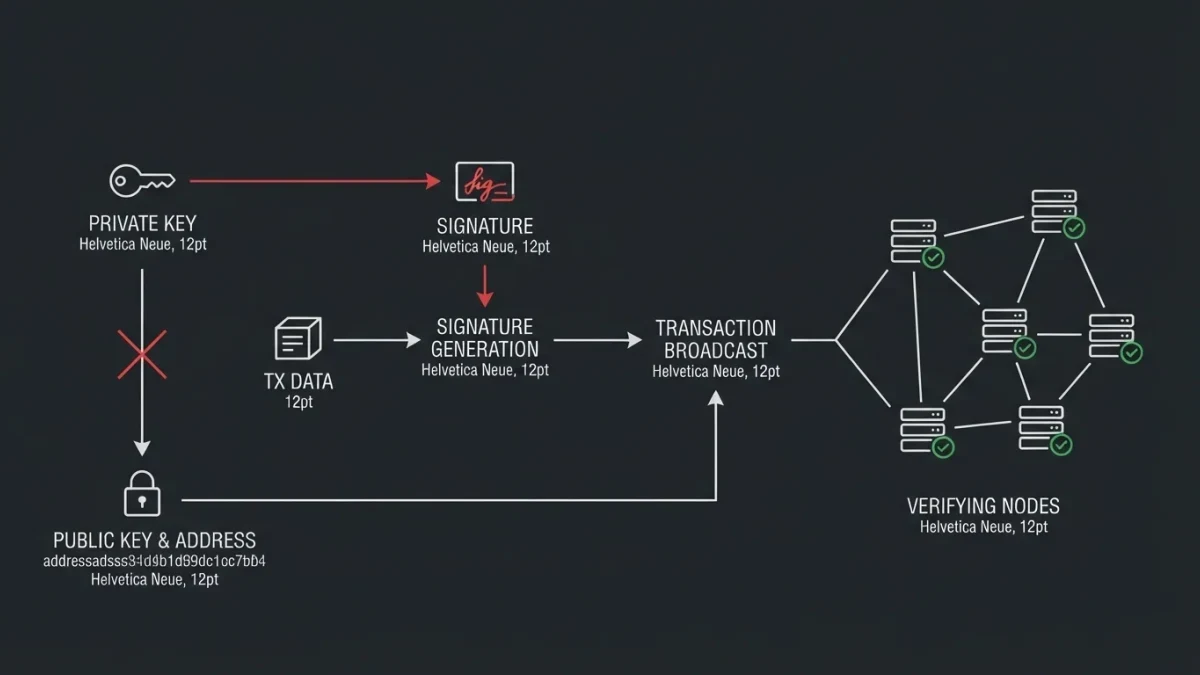

A block explorer is a public website that lets you read a blockchain directly: transactions, balances, blocks and fees, straight from the chain itself. You do not need an account, and you do not need to own any crypto. Every major public chain has several independent explorers that show the same underlying data.
Crypto assets can lose most or all of their value quickly, and nothing on this site is a reason to buy any of them. This guide is about reading public data, not trading it.
No explorer is the official one, and this guide does not crown a best. Each major chain has several competing explorers, built by different companies and communities, and the features below are the ones they share. The details described are typical of major explorers as of March 2026 — interfaces change, so treat on-screen labels as close cousins of the ones here.
What do all block explorers have in common?
The same core screens. A search box that accepts an address, a transaction hash or a block number. A transaction page showing status, fees and confirmations. A block page showing height, timestamp and contents. An address page showing balances. Layouts differ; the data underneath is the chain itself.
Whatever the branding, every explorer is doing one job: reading the chain's public record and displaying it in tables. That is also its limit. An explorer can show you what the network recorded, but it cannot tell you who was behind an address or why a transaction happened — more on that below.
How do you look up a transaction, step by step?
Open a reputable explorer for the correct chain, paste the transaction hash or your address into the search box, and press search. Find your transaction in the results and open its page. Read the status, the block height and the confirmation count. That one screen answers most everyday questions about a payment.
- Get to the right site. Explorers are third-party websites, and phishers register look-alike domains with one letter changed. Type the address yourself or follow a link from the project's official documentation, and check the spelling character by character. No legitimate explorer will ever ask for your seed phrase — any site that does is a scam, however convincing it looks.
- Paste what you have. The search box accepts a transaction hash, an address, or a block number or hash. You will find the transaction hash in your wallet's history or on the exchange receipt. If the search comes up empty, the most common cause is being on the wrong chain's explorer — similar address formats exist across networks, so confirm you are searching the network the payment used.
- Read the status line first. Pending means the transaction is waiting in the queue, not in a block; success or confirmed means it is in. A long-pending payment usually means the network is busy or the fee was low — annoying, not lost. A failed status typically reflects a rejection or replacement, after which funds normally stay with the sender, though exact behavior depends on your wallet.
- Watch the confirmation count. Each new block built on top adds one confirmation. Low counts mean not yet settled; high counts mean practically irreversible. Exchanges credit deposits at their own thresholds, which are platform policies rather than protocol rules, so their timing may differ from what your wallet shows.
- Read amounts and fees literally. On Bitcoin-style chains the transaction lists inputs and outputs, and an output returning to the sender is normal change, not theft — the analogy to receiving coins back from a till is accurate here. The fee is what the network paid the block builder. Explorers often display a currency value beside amounts; that is a live estimate of a volatile asset, nothing more.
- Cross-check anything important. Open a second explorer for the same chain and search the same hash. If both agree on status, height and amount, you are reading the chain, not one company's bug. If they disagree, wait for a few blocks and check again before drawing conclusions.
How do you read a block page?
Start from the top: the height tells you which block it is, the timestamp tells you when it was produced, and the hash is its identifier. Below sit the contents — a transaction list with fees, a total, and often the miner or validator that built it. Everything links outward from there.
Follow the links once and the structure explains itself. Click the previous-block hash to walk one step back in history; click a transaction to see its inputs and outputs; click the builder's address to see the rewards it has collected. The page is a table of contents for a few megabytes of ledger, and every number on it is something any full node — not just this website — can independently verify.
| Field | What it tells you |
|---|---|
| Height | The block's position number since the first block |
| Timestamp | When the block was produced, roughly |
| Hash | The block's unique identifier |
| Transaction count | How many payments the block carries |
| Fees | What senders paid to be included |
| Builder | The miner or validator that produced it |
What can an explorer not tell you?
Who anyone is. Addresses are pseudonymous strings, and the labels explorers attach to them — exchanges, services, personalities — are heuristic guesses that are sometimes wrong. An explorer also shows only its own chain: activity on second-layer networks appears mostly when it settles, and pending is not the same as failed.
Labels deserve special skepticism. An address tagged as belonging to an exchange is usually right, but attribution firms and explorers revise their maps, and mistakes stick around in screenshots. Treat labels as tips, not identities, and you will read explorers the way researchers do.
Used this way, an explorer becomes what it already is: the public reading room of a shared database. You can check your own payment without trusting your wallet, an exchange, or anyone else's summary — the records are open, and reading them is free.